Make life easier
There is no better time to start than now

Average function
The syntax foe the function is =AVERAGE( cells involved)
then click enter and you will have the average of the cells included
Countif function
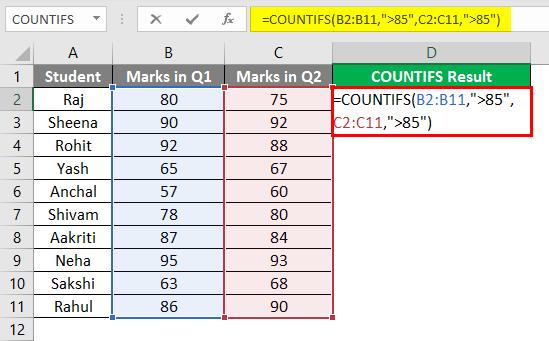
Use COUNTIF, one of the statistical functions, to count the number of cells that meet a criterion; for example, to count the number of times a particular city appears in a customer list.
In its simplest form, COUNTIF says:
- =COUNTIF(Where do you want to look?, What do you want to look for?)
For example:
- =COUNTIF(A2:A5,”London”)
- =COUNTIF(A2:A5,A4)
Averageif function
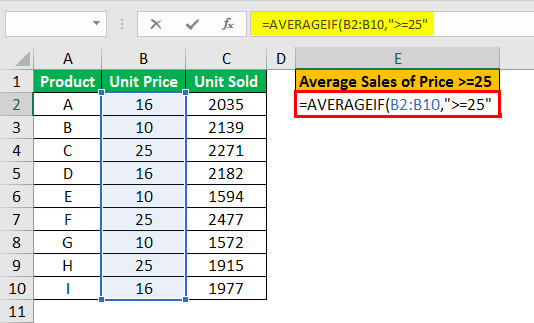
Syntax =AVERAGEIF (range, criteria, [average_range])Arguments
- range – One or more cells, including numbers or names, arrays, or references.
- criteria – A number, expression, cell reference, or text.
- average_range – [optional] The cells to average. When omitted, range is used.
The Excel AVERAGEIF function calculates the average of numbers in a range that meet supplied criteria. AVERAGEIF criteria can include logical operators (>,<,<>,=)
 Short blog