mail merge summary
Empowerment technology
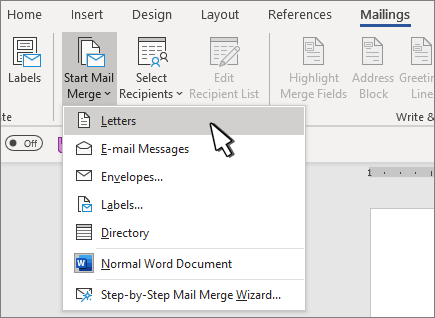
Step 1: Create a document in ms word
Go to the mailings tab, click start mail merge and choose letter option
Step 2: Type the content of your letter that is common for each product to be made. note:its the contents that does not change for each copy
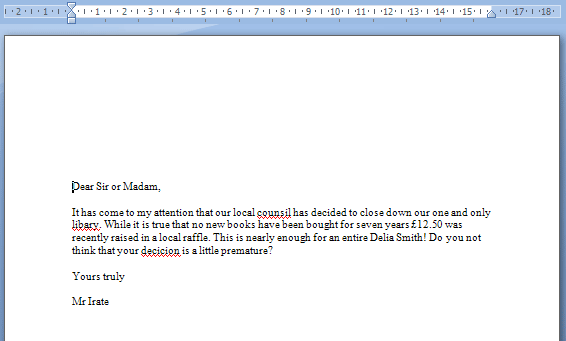
Step 3: Make sure to save your letter
Step 4: Add the fields you need for your letter (name, company, address, etc.)
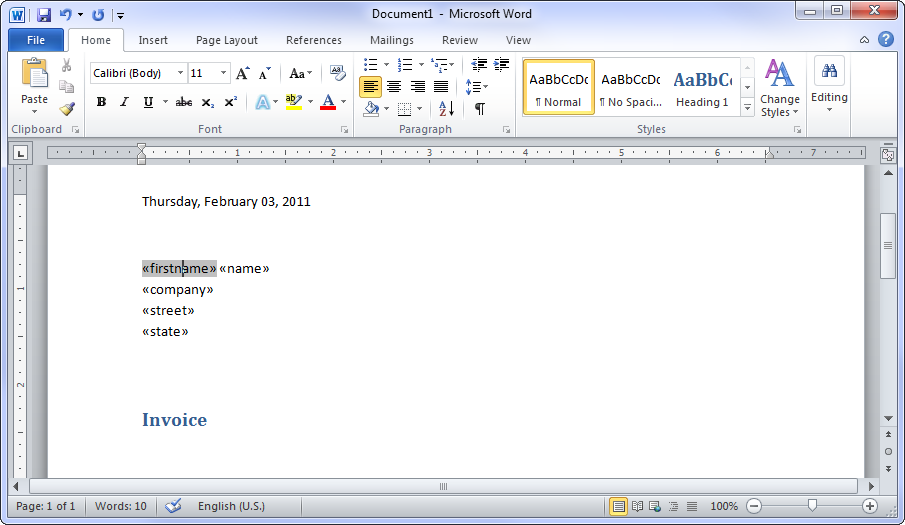
Step 5: create the list / data file
on the mailings tab ,go to start mail merge and click select recipients then insert or type a new list. If you want modification click customize columns.
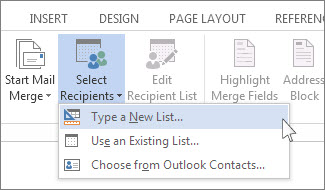
to Add the field you need in your document just click add
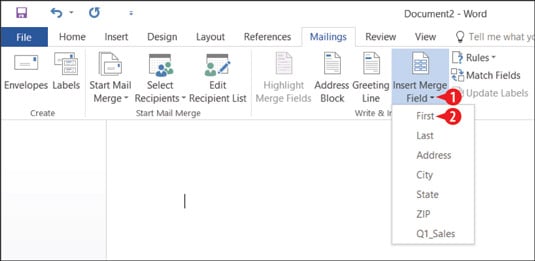
After inserting and modifying the contents of your letter including the fields click the insert merge field adjust to your liking. Then save your document
Last step: click finish mail merge, send to email address to edit, print or send to emails
you could also preview the results or product of your work.
Video guides for mail merge
 Short blog